

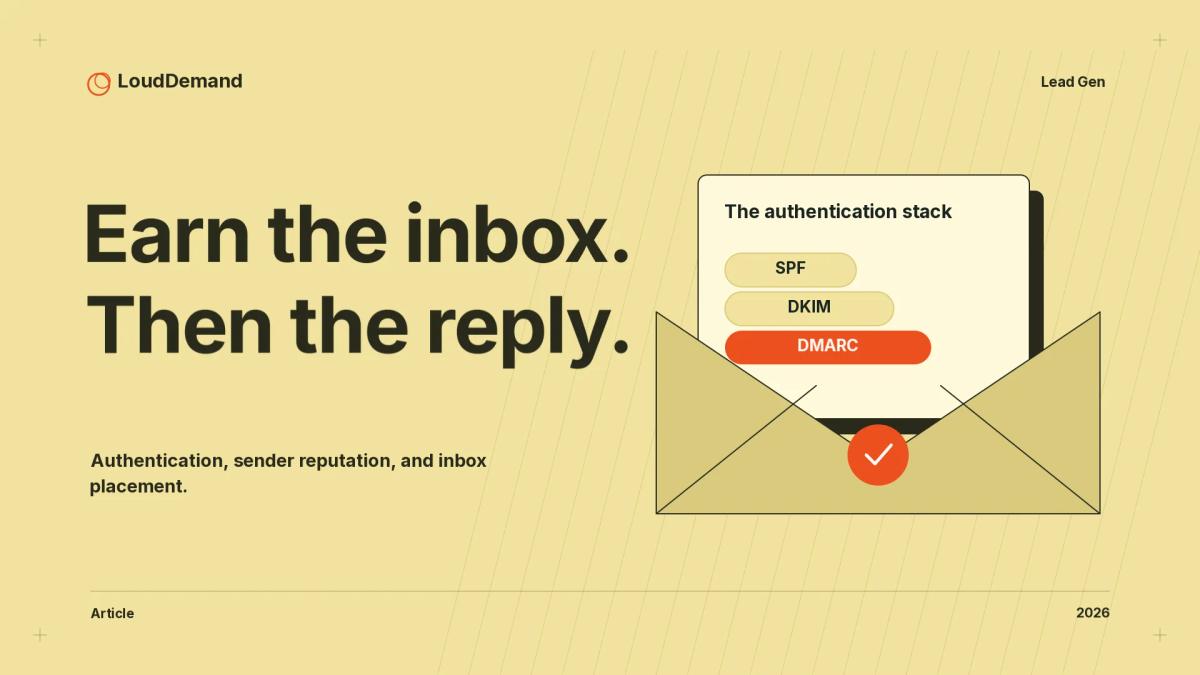
B2B cold email deliverability is the share of your sends that reach the primary inbox rather than a spam folder, a quarantine, or nowhere at all, and it sets the ceiling on every reply you can earn. Google, Yahoo and Microsoft all apply their bulk sender rules from roughly 5,000 messages a day to consumer mailboxes, and Google has been tightening enforcement since November 2025. The technical floor is simple SPF, DKIM and DMARC with a matching From: domain and the behavioural floor is a spam complaint rate below Google’s 0.10% target, because at 0.30% you lose delivery support entirely.
What B2B cold email deliverability actually measures
Deliverability is the percentage of sent messages that land in the recipient’s inbox rather than the spam folder, a quarantine, or nowhere at all. Three different numbers get called “deliverability,” and the distinction matters.
- Delivered rate is what your email service provider shows you: the receiving mail server accepted the message, which says nothing about where it landed afterwards.
- Deliverability rate, as Belkins measures it, is one minus the bounce rate, which its 2026 study of 7.53 million cold sends put at 98.29%, accurate and close to useless as a quality signal because a message in a spam folder still counts as delivered.
- Inbox placement rate is the only one of the three that answers the question you care about.
Validity’s 2026 benchmark report reports inbox, spam and missing placement for each mailbox provider, and it states the caveat most tools skip: the figures come from seed accounts used to test campaigns at hundreds of mailbox providers and spam filters, so they are a sampled view rather than ground truth. Google’s Postmaster Tools is narrower still, covering personal Gmail accounts only, and its documentation notes that data can be missing on low-volume days.
The email authentication stack, record by record
Email authentication is the set of DNS-published rules that let a receiver confirm a message really came from your domain and was not altered in transit.
| Record | Purpose | DNS type | What breaks without it |
|---|---|---|---|
| SPF | Lists the IPs allowed to send for your domain | TXT at the domain root | Third-party senders look spoofed; required for bulk senders |
| DKIM | Signs the message so receivers can verify it was not altered | TXT at a selector | Gmail rejects with 4.7.30; Yahoo needs 1024-bit keys |
| DMARC | Says what to do when SPF and DKIM fail | TXT at _dmarc | Gmail error 4.7.31 and loss of delivery support |
| MTA-STS | Tells senders to refuse unencrypted SMTP | TXT at _mta-sts plus HTTPS policy | Mail can still be downgraded to plaintext |
| TLS-RPT | Reports TLS failures back to you | TXT at _smtp._tls | Silent TLS breakage you cannot see |
| One-click unsubscribe | RFC 8058 headers, unsubscribe with one POST | Message headers, not DNS | Bulk senders lose delivery support |
| PTR and forward DNS | Maps your sending IP to a hostname that resolves back | PTR plus A or AAAA | Gmail rate limiting under 4.7.23 and 5.7.25 |
The records are not independent. SPF and DKIM prove authorship, DMARC says what happens when they fail, and alignment decides whether DMARC counts. Google’s FAQ is specific: for messages to personal Gmail accounts, the organisational domain in the From: header must align with either the SPF organisational domain or the DKIM organisational domain, and only one of the two needs to align.
MTA-STS and TLS-RPT do a different job, and both were written by Google, Microsoft, Comcast and Oath engineers together: RFC 8461 lets you declare that you can receive TLS and instruct sending servers to refuse delivery to MX hosts without TLS and a trusted certificate, while RFC 8460 lets those servers report TLS failures back to you. One-click unsubscribe is not a DNS record at all: RFC 8058 specifies a List-Unsubscribe header pointing at an HTTPS URL, a List-Unsubscribe-Post header carrying List-Unsubscribe=One-Click, and a DKIM signature covering both headers, and a mailto: link in the body does not satisfy it.
Gmail, Yahoo and Microsoft bulk sender requirements for 2026
All three consumer mailbox providers now publish sender requirements with teeth, and each one keys the threshold to roughly 5,000 messages a day. That convergence is why cold email programs broke in 2024 and stayed broken.
Google bulk sender requirements
For every sender to personal Gmail accounts, in force since February 1, 2024, Google requires SPF or DKIM, valid forward and reverse DNS, TLS, RFC 5322 formatting, and a spam rate below 0.3% in Postmaster Tools. Above roughly 5,000 messages a day you add both SPF and DKIM, a DMARC record (p=none is acceptable), DMARC alignment, one-click unsubscribe, and a visible unsubscribe link in the body.
Google’s FAQ adds the part most cold email blogs skip: bulk sender status is permanent once assigned and counts messages from your whole primary domain, so splitting across subdomains does not reset it. A domain that has never sent more than 5,000 emails a day to personal Gmail since January 1, 2024 counts as “new,” and enforcement on new domains runs on an accelerated timetable. Since November 2025 Google has been ramping enforcement on non-compliant traffic, which explains why setups that worked a year ago now fail.
Failures arrive as SMTP codes you can act on: 4.7.23 for a missing PTR, 4.7.27 for SPF failure, 4.7.29 for no TLS, 4.7.30 for DKIM failure, 4.7.31 for a missing DMARC record, and 4.7.32 for a From: header that does not align. A missing DMARC record, missing one-click unsubscribe, or failure to honour unsubscribe requests within 48 hours does not trigger rejections, but each one makes you ineligible for delivery support.
Yahoo sender requirements
Yahoo’s sender hub, in force since February 2024, asks every sender for SPF or DKIM, valid forward and reverse DNS, RFC 5321 and 5322 compliance, and a spam complaint rate below 0.3%. Bulk senders must add both SPF and DKIM, a DMARC record of at least p=none that passes, a List-Unsubscribe header supporting one-click, a visible unsubscribe link, and unsubscribes honoured within two days.
Yahoo also accepts relaxed DMARC alignment where Google asks for organisational-domain alignment, and it asks you to segregate email types by IP or DKIM domain, because each IP and DKIM domain carries its own reputation.
Microsoft Outlook requirements
For domains sending more than 5,000 emails a day to Outlook.com, Hotmail and Live.com, Microsoft requires SPF to pass, DKIM to pass, and DMARC at least p=none and aligned with SPF or DKIM. Since May 5, 2025 non-compliant messages have been routed to the Junk folder, with rejection under the code 550; 5.7.515 planned for a date Microsoft has not yet announced.
Microsoft also asks you to remove inactive or invalid addresses monthly or quarterly, and to keep SPF to ten DNS lookups or fewer or the check will fail.
How sending reputation actually works
Sending reputation is the score each mailbox provider keeps on you at the IP, domain and From-name level, and it decides whether a technically compliant message still gets filtered. On a shared IP the score is shared too: Google notes plainly that the activity of any sender on that IP affects the reputation of every other sender on it, so one team’s spam report drags down everyone else’s delivery.
The domain layer covers your sending domain, and Google recommends publishing a DMARC record for any domain hosting your public website so impersonation attempts come back to you. The From-name layer is the one teams forget: Google asks that messages of the same category share one From: address, and warns against display names that fake urgency or a thread.
The thresholds that decide your fate: spam complaint rate and bounce rate
The spam complaint rate is the one deliverability threshold with a published number, and Google and Yahoo have set the same ceiling at 0.3%.
“Keep spam rates reported in Postmaster Tools below 0.10% and avoid ever reaching a spam rate of 0.30% or higher.” Google, Email sender guidelines.
Google’s FAQ turns that sentence into consequences. Since June 2024, bulk senders above 0.3% are ineligible for mitigation and become eligible again only after seven consecutive days below 0.3%, and it states that spam rates above 0.1% already carry a negative impact on inbox delivery for bulk senders. That is why 0.10% is the number to manage to and 0.30% is the cliff to stay away from.
The bounce rate threshold is the one nobody publishes, and Mailchimp’s documentation explains why better than anyone:
“Bounce rate limits vary between ISPs and email providers, and they change throughout the year based on incoming email volume. Because these limits are variable, and to avoid giving too much information to spammers, ISPs do not publicly release their limits.” Mailchimp, About Bounces.
So if you have seen a specific bounce rate threshold presented as a rule, check who wrote it. Instantly’s 2026 benchmark report tells senders to keep bounce rates below 2%, and Belkins calls below 2% healthy and under 5% manageable, and both are vendor benchmarks rather than provider policy. What Mailchimp does publish is the mechanics: hard-bounced addresses are cleaned from the audience automatically, and it allows seven soft bounces for an address with no subscriber activity and up to fifteen for contacts with previous activity before converting the soft bounce into a hard one.
Email warmup and safe sending volume
Mailbox providers do not publish a universal daily sending limit per inbox. The limits in most blog posts are vendor guidance. Google’s documentation describes quotas tracked per domain and per IP without publishing a figure, and the SMTP error 4.7.28 is what you get when you cross one.
What Google does publish is the shape of a ramp: send at a consistent rate, avoid bursts, start with a low volume to engaged users and increase slowly, and never double volume overnight. Vendors supply the numbers, with Instantly’s 2026 report recommending five to ten emails per day on a new domain, ramping over four to six weeks. Warming is reputation-building, not a switch, and Google suggests starting with your most engaged recipients.
The 2026 benchmark sheet
Provider thresholds are sending requirements. Vendor benchmarks describe sampled campaigns, with results that depend on the audience and counting method.
| Metric | Figure | Source and date | Official or vendor-published |
|---|---|---|---|
| Gmail spam complaint target | Below 0.10% | Google sender guidelines | Official (Google) |
| Gmail spam complaint ceiling | 0.30% | Google sender guidelines FAQ | Official (Google) |
| Yahoo spam complaint ceiling | 0.3% | Yahoo Sender Hub | Official (Yahoo) |
| Bulk sender threshold | Roughly 5,000 messages a day per primary domain | Google, Yahoo, Microsoft | Official (all three) |
| Outlook handling | Junk folder since May 5, 2025; 550; 5.7.515 planned | Microsoft Defender blog | Official (Microsoft) |
| Gmail inbox placement 2025 | 89.8% | Validity, March 2026 | Vendor, seed panel |
| Outlook inbox placement 2025 | 77.4% | Validity, March 2026 | Vendor, seed panel |
| Yahoo inbox placement 2025 | 87.3% | Validity, March 2026 | Vendor, seed panel |
| Inbox placement, B2B hosting layer | 83.0%, down 1.3 points | Validity, March 2026 | Vendor, seed panel |
| Inbox placement, corporate filter layer | 79.0%, down 5.8 points | Validity, March 2026 | Vendor, seed panel |
| Average reply rate | 3.43%, top performers 10.7% | Instantly, January 12, 2026 | Vendor |
| Average reply rate, strict denominator | 0.45% | Belkins, June 26, 2026 | Vendor |
| Bounce rate | 1.71% of 7.53M sends | Belkins, June 29, 2026 | Vendor |
| Bounce rate threshold | No published figure exists | Mailchimp, About Bounces | Official, no figure available |
Diagnosing a deliverability problem
A deliverability investigation runs in a fixed order, and skipping the technical checks first wastes weeks.
- Read the SMTP codes, not the dashboard. Gmail failures carry a code naming the cause, so capture raw SMTP responses before touching DNS.
- Verify alignment. Confirm your From: organisational domain matches either the SPF Return-Path domain or the DKIM domain, with a key of at least 1024 bits.
- Pull the aggregate DMARC report. It shows which sending sources authenticate, align or fail, which is where you find an ESP quietly sending from an unlisted server.
- Check Postmaster Tools, Microsoft SNDS and Yahoo Sender Hub. These cover personal Gmail, Outlook and Yahoo reputation and complaint data.
- Run seed tests. Send a test message to controlled accounts at Gmail, Outlook and Yahoo so you can see placement rather than infer it.
- Audit the list. Check bounce and complaint rates by segment, and remove invalid addresses.
- Compare placement to reply rate. If placement is healthy and replies are weak, the problem is targeting and message.
| Symptom | Likely cause | Fix | How to confirm |
|---|---|---|---|
| 4.7.27 SPF failure | ESP missing from the SPF record | Add every sending service | Authentication-Results header |
| 4.7.30 DKIM failure | Selector wrong, or key rotated | Republish the DKIM record | Authentication-Results header |
| 4.7.31 no DMARC | No _dmarc TXT record | Publish v=DMARC1; p=none; rua=mailto:dmarc@yourdomain.com | Admin Toolbox Dig tool |
| 4.7.32 misalignment | From: matches neither SPF nor DKIM domain | Align From: to the DKIM domain | DMARC aggregate report |
| 4.7.23 and 5.7.25 PTR errors | No PTR, or forward DNS points elsewhere | Set PTR plus matching A or AAAA | Dig the IP |
| 4.7.28 quota exceeded | Volume jumped, or quotas exhausted | Pause, cut volume, ramp slowly | Postmaster Tools; SMTP logs |
| 550; 5.7.515 at Outlook | Missed SPF, DKIM or DMARC | Fix auth, re-engage slowly | Microsoft SNDS |
| Complaint rate above 0.3% | Irrelevant targeting or too much volume | Pause, tighten list, honour unsubscribes | Postmaster Tools; Yahoo CFL |
Dedicated IP, shared IP or warmup network
Your infrastructure choice decides how much volume you can lose before it hurts, and no option removes the need for authentication and list hygiene. A dedicated IP isolates your reputation from other senders, which matters once you send enough volume to build a meaningful engagement history, and it costs you the flexibility to shift volume when one domain has a bad month. A shared IP is cheaper and lets you move volume freely, but one noisy tenant can depress your placement without you doing anything wrong.
Warmup networks are a third pattern: you send to a controlled seed audience for a few weeks so the provider has history on the new domain before you touch a real prospect list, and Instantly’s benchmark data shows why teams care, since teams keeping domain health stable and sending consistently saw 15–20% higher reply rates in its dataset.
For most B2B teams the order is to start on a shared or warmup path, prove the reply economics on a defined ICP (the outbound ICP system is where that gets set), and only move to dedicated infrastructure when volume justifies it. Keep transactional mail, alerts and outbound on separate sending domains and separate IPs.
Common mistakes that quietly cost you the inbox
Most cold email deliverability failures are configuration and hygiene rather than copy, and they recur in the same four places. First, tracking open rate with a pixel: Belkins turned open tracking off and states the rate tracking pixel was hurting deliverability across the industry in 2024, while Google states plainly that it does not track open rates. Second, sending a blast from a domain that has never sent anything before, since a new domain starts with no reputation and, under Google’s accelerated enforcement for new domains, no grace period either.
Third, mixing message types on one domain. Yahoo asks you to segregate bulk and marketing mail from user and transactional mail by IP or DKIM domain, and Google asks for a consistent From: address per category. Fourth, ignoring unsubscribes, since Google wants requests honoured within 48 hours, Yahoo within two days, and Validity’s data shows the average complaint rate across senders sits at just 0.06%. Near the ceiling, cut volume and repair the list before you rewrite the copy.
FAQ
What is cold email deliverability and why does it decide your results?
It is the share of your sends that land in the primary inbox rather than a spam folder or quarantine, and it caps every downstream metric. If half your messages are filtered, your reply rate is halved before a word of copy is judged. Fix placement first, then argue about the subject line.
How do you improve cold email inbox placement?
Start with authentication: SPF, DKIM and a DMARC record with a From: domain aligned to one of them. Then work the four levers that move placement, in order: complaint rate, list hygiene, sending consistency and message formatting. Seed test against Gmail, Outlook and Yahoo rather than inferring placement.
What are the current bulk sender requirements from Gmail, Yahoo and Microsoft?
All three require SPF, DKIM and DMARC from senders reaching roughly 5,000 messages a day, plus TLS, valid forward and reverse DNS, RFC-compliant formatting and a spam complaint rate below 0.3%. Google also requires one-click unsubscribe honoured within 48 hours, Yahoo accepts relaxed DMARC alignment, and Microsoft has junked non-compliant mail since May 5, 2025.
What is a safe sending volume per inbox?
No mailbox provider publishes a per-inbox daily limit, so treat any specific number as vendor guidance rather than policy. Google publishes the shape of a ramp instead: send consistently, avoid bursts, start small with engaged recipients, never double volume overnight. Instantly’s 2026 report recommends five to ten emails per day on a new domain, ramping over four to six weeks, which is worth revisiting when you set up your outbound sequence rebuild.
How do you repair a damaged sending reputation?
Slow it down first, because every extra message to a domain with a bad score costs you more reputation. Confirm authentication is complete and aligned, cut volume to a level you can sustain, then ramp gradually while watching Postmaster Tools. Expect recovery in weeks rather than days: Google says mitigation eligibility returns only after seven consecutive days below a 0.3% complaint rate.
Which email authentication records do you actually need?
SPF, DKIM and DMARC are the required set, and all three providers demand them from bulk senders. Add MTA-STS and TLS-RPT if you run your own receiving infrastructure, because together they stop silent downgrade to plaintext. One-click unsubscribe is not a DNS record at all, it is a pair of message headers defined in RFC 8058.
How closely does deliverability track reply rate?
Loosely, and only as a ceiling, because the gap between placement and reply is where targeting and copy live: Belkins found one dataset ranging from 0.22% reply rate at enterprises with 10,000+ employees to 3.47% in food and beverage. Validity expects reply rate to become a primary KPI, so track placement and reply rate separately, and read the 2026 outbound reply quality notes before you rewrite a sequence that already places correctly.
What to do next
Work the technical stack before you spend a cent on more volume. Run the diagnosis in order: SMTP codes, alignment, DMARC aggregate report, Postmaster Tools, SNDS and Yahoo Sender Hub, then seed tests.
Then set the two numbers you can actually manage: a spam complaint rate target below 0.10% and a bounce rate you watch against your own baseline, because no provider will hand you a threshold. Keep outbound on its own domain.
Finally, separate placement from messaging in your reporting. If placement is healthy and replies are not, the problem is your ICP and message, and no amount of DNS will fix it that is where marketing ops routing and AI-powered B2B lead generation come in.
Sources & references
- Strengthening Email Ecosystem: Outlook's New Requirements for High-Volume SendersMicrosoft (Defender for Office 365 blog, Tech Community) · Accessed Oct 19, 2026Microsoft Defender for Office 365 blog
- RFC 8058: Signaling One-Click Functionality for List Email HeadersIETF / RFC Editor · Accessed Oct 19, 2026(2017), and (2018) IETF
- RFC 8461: SMTP MTA Strict Transport Security (MTA-STS)IETF / RFC Editor · Accessed Oct 19, 2026(2017), and (2018) IETF
- Cold Email Benchmark Report 2026: Reply Rates, Deliverability and TrendsInstantly · Accessed Oct 19, 2026Instantly, January 2026
- What are B2B cold email response rates? Belkins' 2026 studyBelkins · Accessed Oct 19, 2026Belkins, June 2026
- What are B2B cold email deliverability rates? Belkins' 2026 studyBelkins · Accessed Oct 19, 2026Belkins, June 2026